by Kimberly | Oct 18, 2023 | Uncategorized
Don’t Let Your Data Be Held Hostage
That’s not a catchy title — it’s a warning. There’s a dangerous Trojan called Cryptolocker that encrypts the user data residing on your computer (irreplaceable documents, photos, music, etc.). Then you’re sent a message. It reads something like this: “Pay $500 within 2 days to recover your files. Otherwise, your documents will be lost forever.” Some people have paid the extortionists. I don’t want you to be one of them.
How Your Computer Is Infected
By unknowingly downloading nefarious links. For instance, you might get an e-mail telling you that your browser, Chrome, needs an update. Or, you might receive a message telling you that a package is being held at UPS or FedEx, or that your plane tickets are waiting for you at the Delta counter. In every instance, you’re instructed to click on the link provided. Don’t.
How To Tell If Links Are Legitimate
Hover over any link. At the bottom of your screen (generally at the lower left) you’ll see the full URL displayed in a light gray box. If the address doesn’t match the message or if you’re the least bit skeptical, don’t click.
Practice This Step
Try the above right now. Hover over any of the links on this page. Find the URL. See how it matches the content mentioned in the articles. Get in the habit of always looking at site URLs before you click.
Good News
In the process of having this article prepared, I came across Krebs On Security. It reports that several security firms joined together and now have a free online service to help people recover their encrypted files. For more information, see decryptolocker.com.
by Kimberly | Oct 18, 2023 | Uncategorized
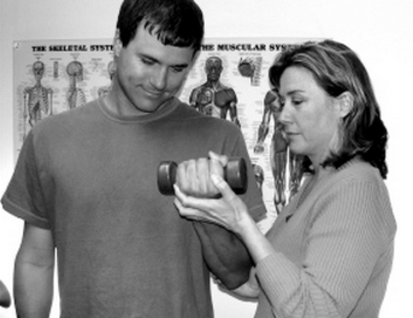
If you’ve been told that you have to live with pain, consider talking to Physical Therapist Maria Zanoni. If you’re looking for a more holistic approach or want the benefit of extensive experience, again, talk to Maria. She has, after all, been in her profession for over 30 years (which amounts to approximately 50,000 patient sessions), has two health-related master’s degrees and is an Adjunct Clinical Instructor at Marquette University.
She loves what she does — orthopedic, muscle and joint pain management and education — and every patient who visits Elm Grove Physical Therapy is treated by Maria exclusively. Some of them include babies as young as 2 months (born, perhaps, with a neck or head injury). Other patients are as spry as 92.
When asked what’s one secret to her business success, she answered, “Keeping it simple.” Here she’s referring to that large umbrella called “overhead,” which includes technology and computers. While they make light of many tasks that once took hours, they’ve figuratively teamed up with HIPPA (our federal Health Insurance Portability and Accountability Act) to place a heavy burden on health-care professionals, Maria included.
Paper documentation is out and everything — from pre-authorization to charting to billing — must be done on-line. Deciding which software systems to use can be daunting. For example, how does one best choose between programs that are unique to PTs (and costlier) vs. those that are bulky with unnecessary options but are less expensive.
For every client, Maria uploads data, fills in the necessary information on-line (to an insurance company, for instance, or a health care network) and then deletes everything from her computer. No client information can be saved on her computer. Maria mentioned that therapists are getting fined if their computer containing patient data is stolen.
She says she, ““Understands the complaint about health care practitioners having a face in the computer when working with a patient.” It’s a double-edged sword. She knows of one physician, for example, who doesn’t enter data when talking with patients. But that means he has to do it at home, which takes him away from his family.
Selecting Bill Hand as her computer consultant was one of Maria’s methods for keeping her IT issues simple. “If my computer doesn’t turn on, that’s all I need to tell him. He doesn’t need to know anything more than that,” she laughs. Many times Bill will take her computer home to do his trouble-shooting and she knows she can call him late into the evening. “He doesn’t have the 9-to-5 mindset,” she adds.
On another matter, Maria stated there are some alarming statistics (and they’re not projected to improve anytime soon) showing the toll that musculoskeletal conditions are taking on patients and the health care system. According to the Bone and Joint Initiative (boneandjointburden.org), for instance, musculoskeletal diseases, disorders and injuries are the leading cause of disabilities and health care costs. That’s twice the rate of chronic heart and lung conditions.
It’s a good thing, then, that there are talented therapists like Maria who have the desire and the skill to provide pain relief. “Especially when getting to a therapist first makes a big difference in prognosis and cost, especially for back pain,” says Maria.
Maria is a member of the Wisconsin Physical Therapy Association and the American Physical Therapy Association. To see if she is listed with your insurance company, search for “Maria Zanoni Physical Therapy,” not “Elm Grove Physical Therapy.”
Here’s a tip from Maria to help prevent back injuries :
:
“In your workout regimen, include exercises like ‘The Plank’ that strengthen your deep core muscles. Start holding that pose for 10-20 seconds. Work up to 90 seconds. You can do it if you’re committed.” (That sounds like a challenge! If you’re up to it, check out this “How To Do a Plank Exercise.”)

by Kimberly | Oct 18, 2023 | Uncategorized
Imagine yourself Marco Polo in the 13th century chronicling his adventures in the Far East. Or a 17th century French fur trader experiencing Niagara Falls for the first time. Now try a 19th century Chinese laborer emigrating to California and working on the Transcontinental Railroad.
Can you conjure up some of the awe and excitement these pioneers must have felt? Did you ever long to be a pioneer yourself? To visit strange lands, learn a different language, return home a new person? Well, you are.
All of us living today are breaking fresh ground with computers, pushing the edges of IT exploration, establishing new paradigms and protocols for on-line activities, using “words” such as HTML and WYSIWYG and trying to create individual lifestyles that carefully (or haphazardly) incorporate the vast hardware and software the world has to offer.
A conversation with Bill and Susanne Gay of Menomonee Falls, WI, easily underscores the concept of 21st Century Everyman as Pioneer. These two retired teachers (Bill, English Composition; and Susanne, Foreign Language) recalled their early interactions and wonderment with computers.
 Nearly 30 years ago, a Social Studies colleague of Bill asked if he had “heard about this thing called the internet?” Bill was taken to their school’s Math Center where, sitting in front of a computer, his fellow teacher said, “Let’s walk down the Champs-Élysées.” As parts of Paris appeared on the screen, including close-ups of cars moving along the famous boulevard, Bill thought he was seeing alchemy.
To heighten the experience, his friend said, “Now we’re going to take a trip to the Louvre.” To Bill’s amazement, he was soon viewing some of his favorite paintings as they took a virtual trip thru the museum. Bill was excited when he arrived home that afternoon. He asked Susanne, “Have you heard about the internet? We need to have this at home.”
Around the same time, Bill and Susanne visited his aunt and uncle in St. Louis who had just purchased a Dell for the sole purpose of communicating with their far-away children and grandchildren via the internet. His relatives’ excitement with this technology was palpable. So, all things considered, Bill and Susanne wanted to be connected to the net, too. They decided to replace their old Apple IIe with a Dell that had state-of-the-art dial-up for full internet accessibility.
 In the early years of educational computer programs, Bill remembers sitting in his school’s Apple Lab and being introduced to Bank Street Writer, one of the first word processors. (According to Wikipedia, “It was generally thought at the time to have changed the way students learned to write … and ma[de] the process of editing easier than with pencil, paper and eraser.”) “I stood there thinking I was looking at magic and couldn’t wait to try it myself,” he added. It was also on that day in that lab when Bill used the word “cursor” for the first time.
Soon Microsoft’s word-processing package made editing even easier. Kids could make revisions with ease, using “cut” and “paste.” Footnotes could be moved quickly from one page to the next. “All of a sudden,” Bill said, “it was like the second coming.”
Another early educational software package called The Oregon Trail (History Software by the Learning Company) was a wonderful classroom tool. Bill described it as “miraculous.” The computer game was meant to teach students the realities of travelling the Oregon Trail by covered wagon. Kids assumed different roles and were prompted to make decisions all along their “journey.” Of the period when this computer program and many others like it were being released, Bill stated, “What a time to be teaching.”
 At the end of the interview, Bill and Susanne recounted the night of July 20, 1969, when they watched the first moon walk. Along with his grandmother and, believe it or not, a room full of strangers, Bill said they all watched silently, in awe. “We felt ourselves as pioneers,” he stated. It was true then. It’s still true today and every day as we move further and further into the Golden Age of Technology.
The Gays, by the way, are grateful to have Bill Hand as their guide!
by Kimberly | Oct 18, 2023 | Uncategorized
Actually, there are many reasons why I’m asking you to donate your computers to IndependenceFirst. Using “2” in the header was just my way of grabbing your attention. After all, preserving our environment and helping non-profits is important stuff and I want to encourage everyone to do their part.
Why IndependenceFirst?
They empower people with disabilities and promote full inclusion in our community. To help accomplish those goals, IndependenceFirst established a computer recycling program. Here’s what it does:
- Cleans and refurbishes donated personal or business computers
- Makes recycled computers available to people with disabilities
- Distributes 350-400 desktop computers a year
- Meets with recipients to give basic instructions on their “new” computers
- Provides computer training (and guidance with things such as social skills) for many of the recycling program’s volunteers
- Works with vets
Why Recycle At All
The following is for those of you who may need a reminder (again, I don’t think any of my clients do, but maybe you’d like to share this information with someone who does).
- Preserves Resources
“When you discard a 5-pound laptop, you are also throwing away the 20,000 pounds of raw materials it took to make it.” ~ TechSoup, Ten Tips for Donating a Computer
- Keeps lead, mercury, zinc and carcinogens from leaking into the water supply and surrounding environment.
“Electronic waste represents 2% of U.S. trash in landfills, but it equals 70% of overall toxic waste. ~ ElectronicHouse.com
How to Donate to IndependenceFirst
Always a good idea to call first—let them know you’re coming and what you’re donating (no CRTs), verify the hours, etc. Here’s the number for the main office in Milwaukee: (414) 291-7520 (V/TTY).
- Fill out the necessary form.
- Take out the hard drive and destroy it. Or, one of the IndependenceFirst volunteers can do it for you. If you’d like to know what a hard drive looks like and how to remove it yourself, here’s a quick and nicely-done video.
- Drop off at the Milwaukee main office: 540 South 1st Street; or,
- If you have a large donation (businesses frequently do), arrange a time for pick-up.
- Give yourself a shout-out for doing a good deed.
If Not a Computer Donation, How ‘Bout…
• Making an alternate donation to IndependenceFirst. Here are some suggestions.
• Serving as a volunteer. Get started here.
• You can also support this non-profit organization online (it does make a difference). “Like” their Facebook page or follow them on Twitter.
Thank You
Special thanks to these people for taking time to share the IndependenceFirst story for my website:
Starlet Hayes, Fund Development & Communications Director
Matt Annen, Network Administrator/Computer Recycling Program Supervisor
Joel Hoedel, Network Administrator
and the Computer Recycling Program volunteers

by Kimberly | Oct 18, 2023 | Uncategorized
What To Do With Old Computers, ‘Cause Tossing Them In the Garbage Is Not an Option
I. Decide What To Do With Your Hard Drive
This is where all your data has been stored, so take every precaution to prevent it from being misappropriated. Whether you decide to undertake all the necessary steps yourself or have PC Assistants do some of it or all of it for you, here’s what needs to happen:
• Take out the hard drive
• Scrub it (erase everything) and recycle or donate; OR
• Don’t scrub it and:
– Put it into an external disk enclosure for back-up; or
– Put it someplace safe; or
– Smash the hard drive with a sledgehammer or drive over it with your car (seriously, we have clients who’ve done both) and then recycle or donate. (The sledgehammer, by the way, is the most effective.)
II. Decide What To Do With Computer Monitor, Keyboard, Accessories
If you have any questions about finding a new “home” for your computer, please give us a call.
